 Procedure for Register tax consequences worksheet template
 Outline
In this section, you can register temporary
discrepancy items that are used for tax consequences worksheets. It allows you to register templates by
data level.
1. Screen display method
- Select [Additional Accounting] → [Deferred tax accounting] → [Register].
- Select [Register Tax Consequences Worksheet Template] from the menu.
→ [Register tax consequences worksheet template] screen will
appear.
2. To specify data level
→ To Menu Reference
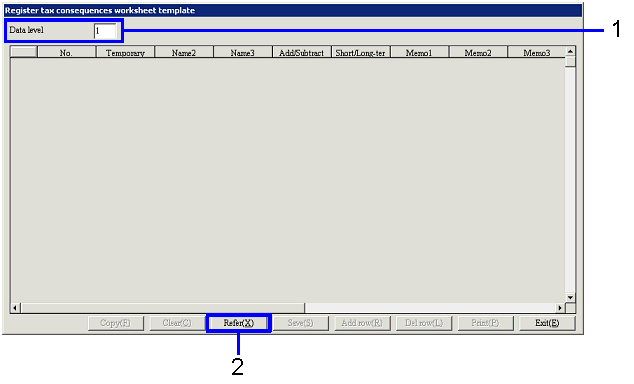
- Specify the data level to be registered.
The range of data level is "1"-"20."
- Click the "Refer (X)" button.
→ Temporary discrepancy items will be displayed in the spread, which corresponds to "Data level."
3. To entry templates
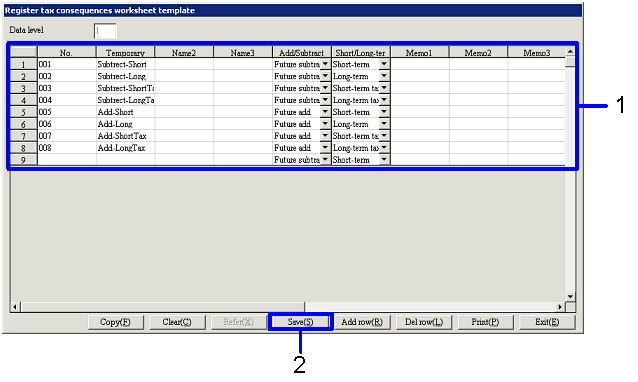
- Enter the data on the displayed spread.
You can manage the data by numbering and naming each combination of "Add/Subtract" and "Short/Long-term type."
- Click the "Save (S)" button.