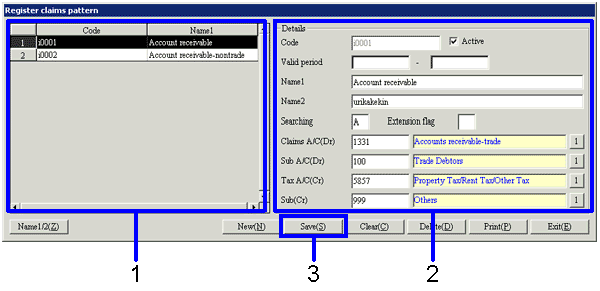
Procedure for register claims pattern
Procedure for register claims pattern
 Function Outline
In "Register Claims Pattern," make a new registration and modifications of the "Claims A/C of collection plan" and "Tax A/C of the details" combinations.
The claims patterns registered here can be displayed from [Claims pattern] in the
[Header] tab of the [Claims] screen.
1. Screen Display Method
2. New Registration

→To Menu Reference
Note
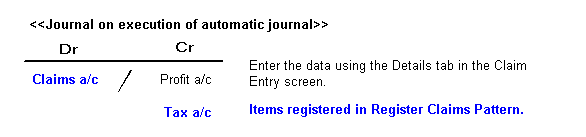
In the case of individual setup due to addition of sub A/C, make sure that the set of VAT A/C in tax A/C (CR) matches the sub A/C master in sales A/C- purchase A/C in the claims A/C (the main A/C). If not, the VAT detail list and the VAT account balance will differ.
Modifying