 Register Description
Register Description
This procedure registers text and comments when
entering vouchers.
→ To Description, Approval
Comment
 Screen
Transition
Screen
Transition
[Master Management]
↓
[Accounting Master]
↓
[Other Management]
↓
[Register Description]
↓
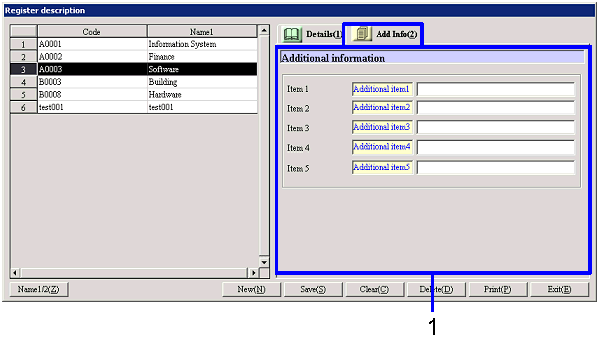
[Register Description] screen - [Details],
[Additional information] tab
Item
Setup - [Details] tab
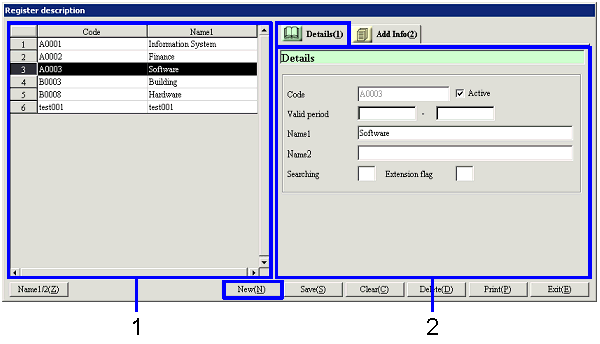
Item
Setup - [Additional information] tab
Button
Functions
Notes
There are two ways to enter a description, namely,
by retrieving a description registered as master data in advance in [Register
Description] of the [Accounting Master Module] and by manually entering a description
in each voucher.
It is useful to register descriptions used frequently as master data. Descriptions manually entered do not handle
multiple languages, so please note that the characters may become garbled if it
is output in other languages.