 Procedure for Register ID code
 Function
outline
Function
outline
Register the transaction ID codes of the payment/receipt
file received from financial institutions.
1.
Screen display method
- Select [Finance] → [Bank account control] → [Register].
- Select [Register ID code] from the menu.
→ The [Register ID code] screen will be displayed.
2.
New registration
→ To Menu Reference
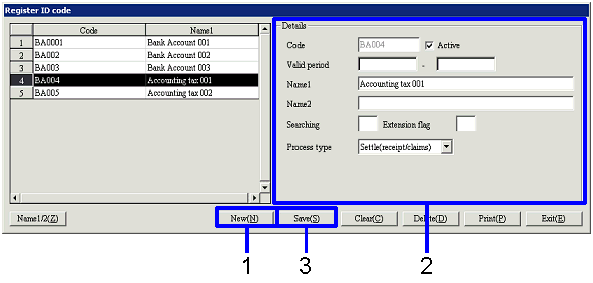
- Click the "New (N)" button.
- Enter data in the [Details] section.
- Click the "Save (S)" button.
→ Registered information will be displayed on the left side of the
screen.
3.
Modifying
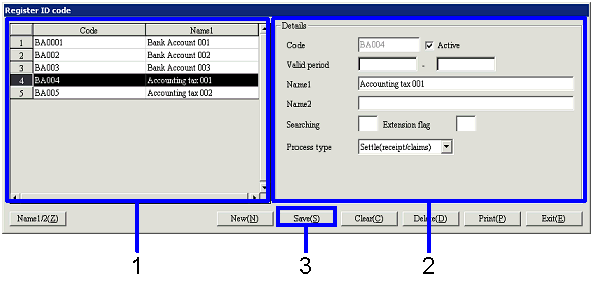
- Select data to be modified from the left side of the screen.
→ The details of data to be modified will be displayed in the [Details]
section.
- Modify the data.
- Click the "Save (S)" button.
→ The modified data will be saved.