 Register region
Register regions to be controlled with A.S.I.A.
→ To Region
 Screen Transition
[Master management]
↓
[Common master]
↓
[Trade management]
↓
[Register region]
↓
[Register region] screen – [Details]
tab, [Additional information] tab
Item
Setup - [Details] tab
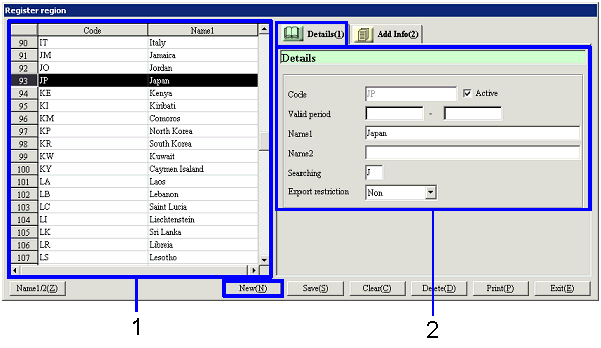
- Select a region (or
register a new region)
Regions that have been registered are listed. Select a region to set up. The information on the selected region
is displayed on the Details tab.
To register a new region, click the "New" button.
-
Code, name
The codes and names of the regions are displayed.
- Enter details
-
Code
Enter a code for the region. Up to ten half-sized alphanumeric
characters can be entered.
-
Active
-
Term of
validity
-
Name 1, 2
-
Searching
-
Extension
flag
-
Export restriction
Specify whether the region is to be the object of export control restriction by
selecting "Applied," "Not applied" or "(blank)."
To specify the region as the object of export control restriction, select "Applied."
Item
Setup - [Additional information]
tab
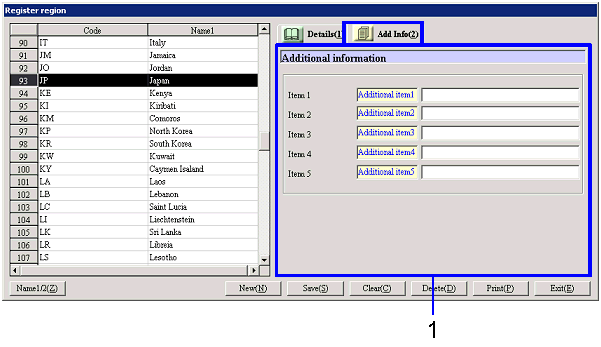
- Enter additional information
Buttons