 Procedure for Register data category
 Outline
In this procedure, you can register data
categories to be specified in [Create consolidated data]. For each consolidated data type, file
name, extension, consolidated A/C template, and data level are registered.
1.Screen
display method
- Select [Disclosure] → [Consolidation control] → [Register].
- From the Menu, select "Register Data Category."
→ The [Register data category] screen will be displayed.
2.New
registration and modification of data category
→ To Menu Reference
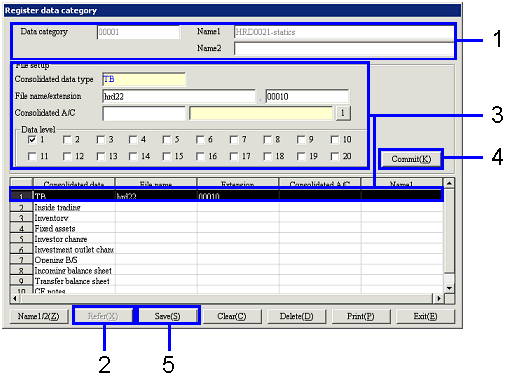
- For a new registration, enter the appropriate values in "Data
category" and "Name1, 2."
When you refer to or modify the registered data categories, select "Data
category" from a pop-up menu.
- Click the "Refer (X)" button.
- Enter the appropriate values in "File name/extension," "Consolidated A/C template" and so on.
- Click the "Commit (K)" button.
→ The entered values will be reflected on the spread section.
Repeat step 3-4 as many times as needed.
- Click the "Save (S)" button.
3.Delete
data category
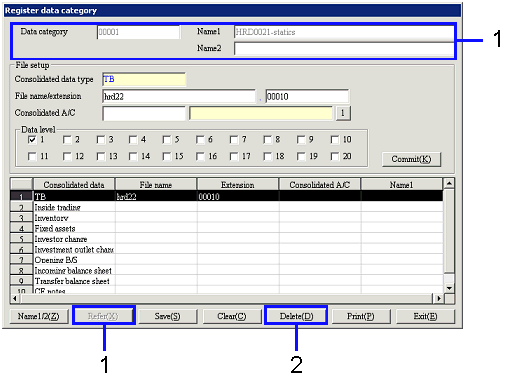
- Select "Data category" from a pop-up menu, and then click
the "Refer (X)" button.
- Click the "Delete (D)" button.