 Register standard inventory qty
 Register standard inventory qty
Register
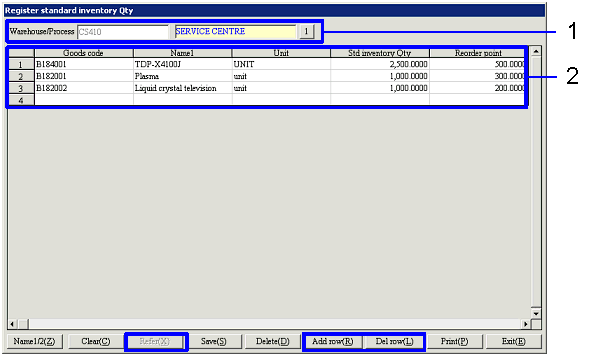
the standard inventory qty and the reorder point by warehouse/process and by
goods. The registered inventory
control standard qty for the same warehouse/process and goods cannot overlap.
The std inventory qty and the reorder points registered here can be confirmed
in the [Refer inventory]
screen and the [Refer
inventory balance] screen that can be retrieved at the time of quotation
entry or sales order entry. They
can also be used as summary conditions of [Inventory
quantity summary sheet] outputted in the [Inventory control module].
 Screen Transition
[Master management]
↓
[Logistics master]
↓
[Goods management]
↓
[Register standard inventory Qty]
↓
[Register standard inventory Qty] screen
Item
Setup
Buttons