 Register summary department
Use [Register summary department] to register
higher-level departments for stratifying (grouping) "Department" and "Warehouse/Process."
Summary departments registered here need structure registration in [Register department structure].
→ To Department
 Screen
transition
Screen
transition
[Master management]
↓
[Common master]
↓
[Department management]
↓
[Register summary department]
↓
[Register summary department] screen – [Details]
tab, [Additional information] tab
Item
Setup - [Details] tab
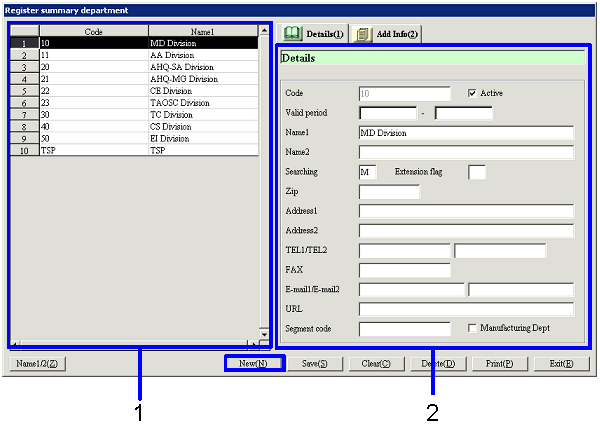
- Select summary department
(or register new department)
Summary departments that have been registered are
listed. Select the summary
department to set up. The
information on the summary department selected is displayed on the Details tab.
To register a new summary department, click the "New" button.
-
Code, name
The codes and names of the summary departments are displayed.
- Enter details
-
Code
Enter a code for the summary department. Up to 20 half-sized alphanumeric
characters can be entered.
Note that codes of departments to register in [Register
department] or of warehouse/process departments to register in [Register warehouse/process] cannot be used.
-
Active
-
Term of
validity
-
Name 1, 2
-
Searching
-
Extension
flag
-
Zip, address 1, address 2
Enter the zip and address of the summary department
as required.
-
TEL 1/TEL 2, FAX
Enter the telephone No. and FAX No. of the summary department as required.
-
E-mail 1/E-mail 2, URL
Enter the E-mail address and URL of the summary
department as required.
-
Segment code
For interlocking with the consolidation package,
enter a code for the business segment to which the department belongs. Up to 20 English one byte characters
and symbols (other than "'," "?," "*" and "%") can be entered.
-
Manufacturing Dept
Memo information. Check the box to include the manufacturing Dept in the
summary Dept.
Item
Setup - [Additional information]
tab
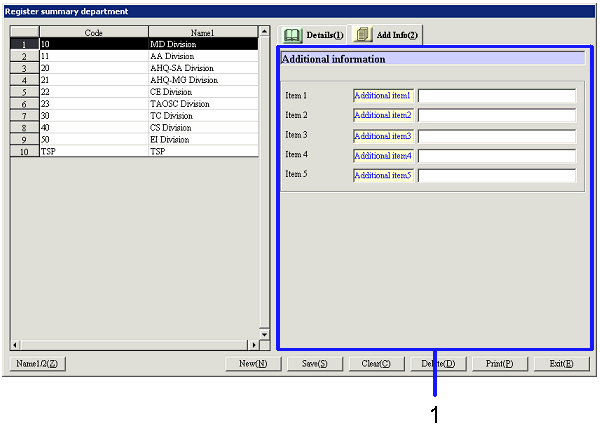
- Enter additional information
Buttons
-
Name1/2
-
New
-
Save
Even summary departments that have been saved cannot be used without
structure registered in [Register department
structure] unless they are directly specified summary departments with "Authority to update,"
"Authority to approve" or "Authority to refer" of [Employee setup]
in [System custodian] for a specific employee. This is because summary departments for which structure is
not registered do not come under authority of any operator unless they are
directly specified at "Authority to update," "Authority to approve" or "Authority to refer" in [Employee setup].
-
Clear
-
Delete
-
Print
-
Exit