 Procedure for Register fixed assets
Procedure for Register fixed assets
 Function
Outline
Function
Outline
On on the [Register fixed assets] screen, you
can register, modify or delete Fixed assets. After entering contents of the fixed assets on the [Header]
tab, set up a depreciation layer and enter depreciation data on the [Detail]
tab. Calculation items such as Acquisition
costs by layer and Durable years can be registered on the [Detail] tab.
Registering assets data on the [Fixed assets] screen does not execute Auto-journalization
for the assets entry. To enter
data other than interlocking data with the [Construction in progress Module] or
[Leased Assets Module], journals for fixed assets acquisition must be entried
in [Debts entry] in the [Unpaid Control Module].
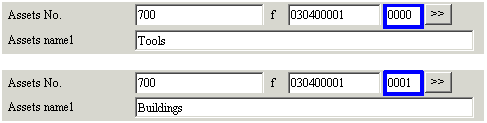
This module also features a "Branch No." function to register multiple assets
in one Assets No.
1.
Screen Display Method
2.
Entering Header information
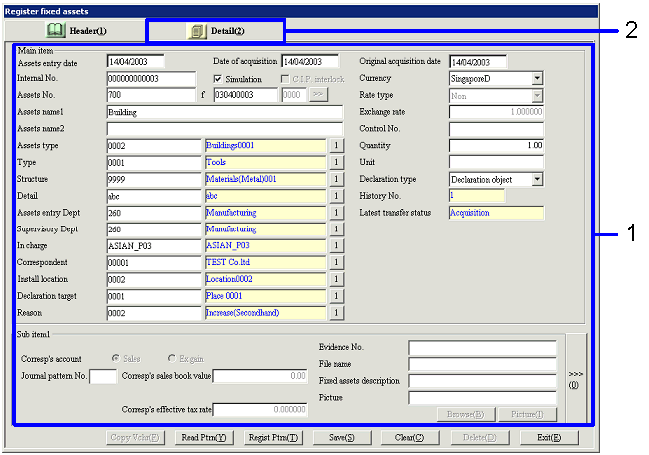
→ To Menu Reference
3.
Entering Detail information (Depreciation type, Assets A/C)
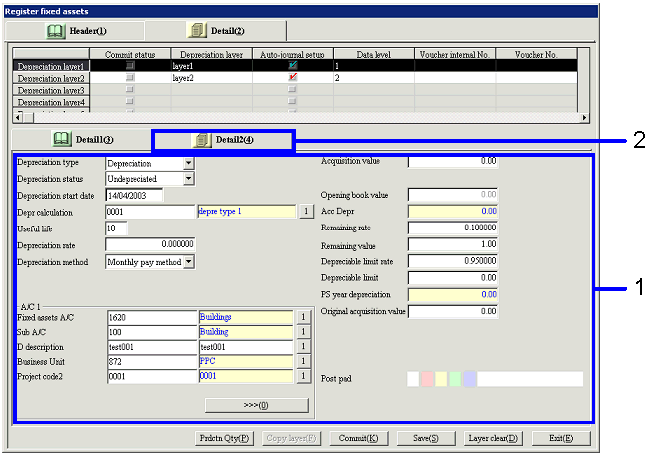
→ To [Menu Reference]
4.
Entering Detail information (Depreciation, Reduction entry method)
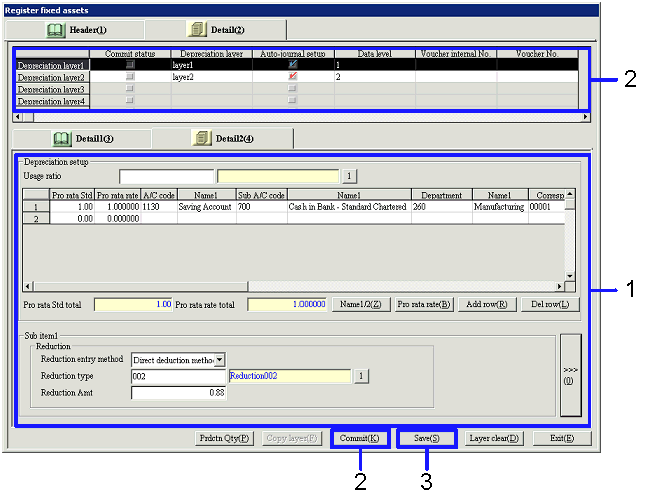
→ To Menu Reference
5.
Entering Production Qty (for Production proportion method)
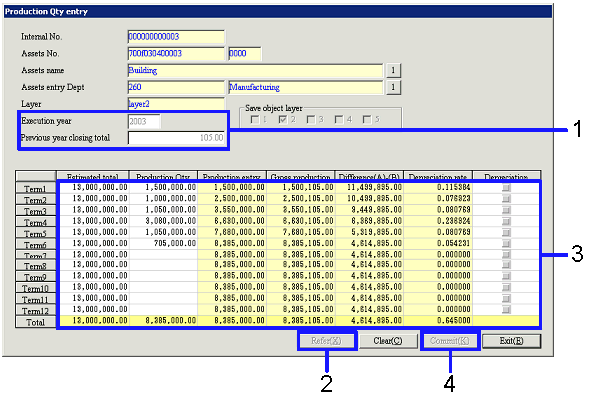
→ To Menu Reference